

Our product · Society management
 SocietyDues
Your society, sorted.
One calm app for the whole society. The gate asks your phone before anyone walks in, maintenance bills and receipts sit in one place, and notices stop getting lost in the WhatsApp group. It keeps working when the network does not.
Download for Android Open the web app (iPhone & computer)
- Android app · iPhone & web
- English · हिन्दी · मराठी
- Works offline
- Piloting in Maharashtra
Sound familiar?
9:14 pm. Mid-dinner. The doorbell, again.
Most societies run on an intercom nobody picks up, a register at the gate and a WhatsApp group with 999+ unread messages. SocietyDues replaces the chaos with one place everyone trusts.
- Notices get lost in WhatsApp groups, so residents miss the water cut and the AGM
- Complaints are raised verbally, with no tracking and no one accountable
- Maintenance lives in Excel or a register, so nobody knows what they owe
- “Madam, parcel aaya hai” — and nobody knows whose parcel, or where it went
- Network in basements, lifts and guard rooms is poor, so apps that need it fail
What’s inside
Everything a society runs on, in one app.
From the gate to the maintenance bill. Each part is a module your society can switch on, so you start with what you need.
Gate approvals that ring
A visitor or delivery at the gate rings your phone. Approve, Reject or Leave at gate in one tap, from anywhere.
Guest passes with a QR
Expecting someone? Send a welcome pass on WhatsApp. They show the QR or the 6-digit code and walk in.
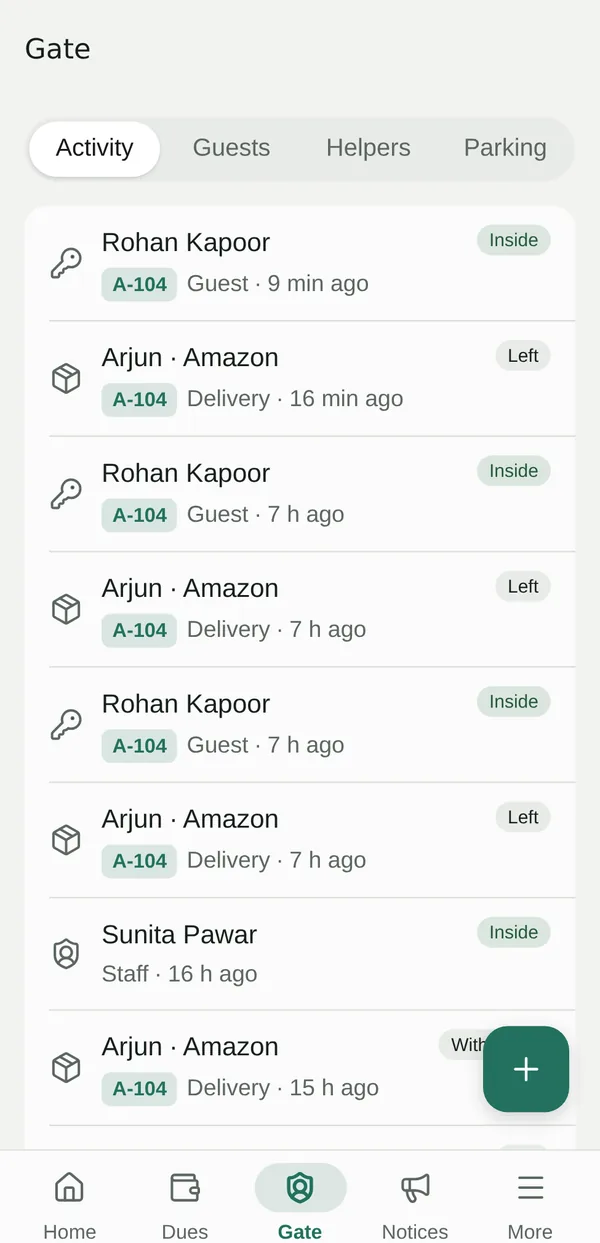
Who’s inside, right now
See who came for your flat, when they entered and when they left. Green means inside, grey means gone.
Maid and helper attendance
Your maid, cook or driver checks in at the gate. You get a ping and a monthly record of in and out times.
Parcels kept at the gate
A photo when it arrives, a note when it’s collected and by whom, or tap “I’ve received this parcel”.
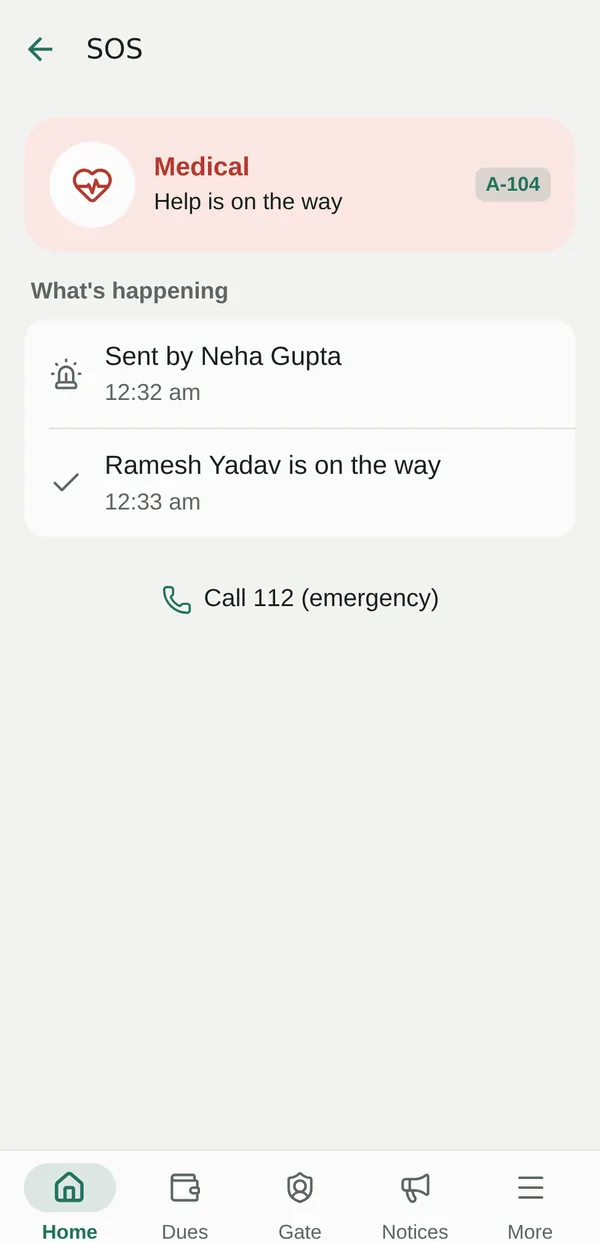
SOS in seconds
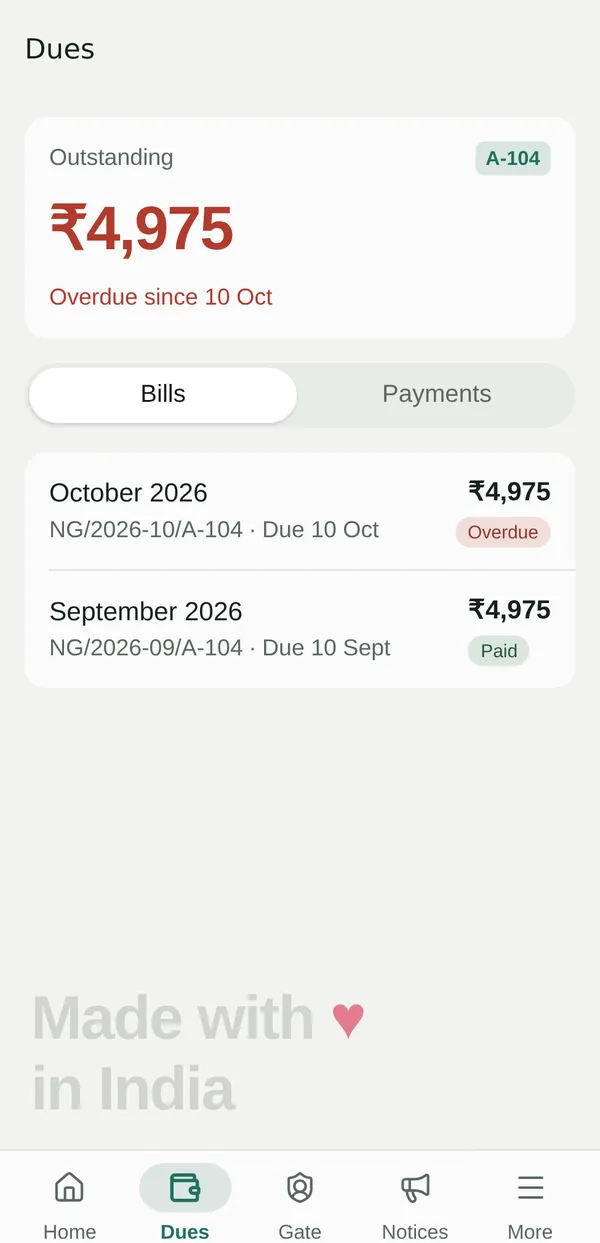
Hold Fire, Medical or Security. Guards, the committee and your family are alerted and can respond.
Vehicles and parking
Your flat’s spots and the vehicles in them, so security can look up any number plate.
Dues, bills and receipts
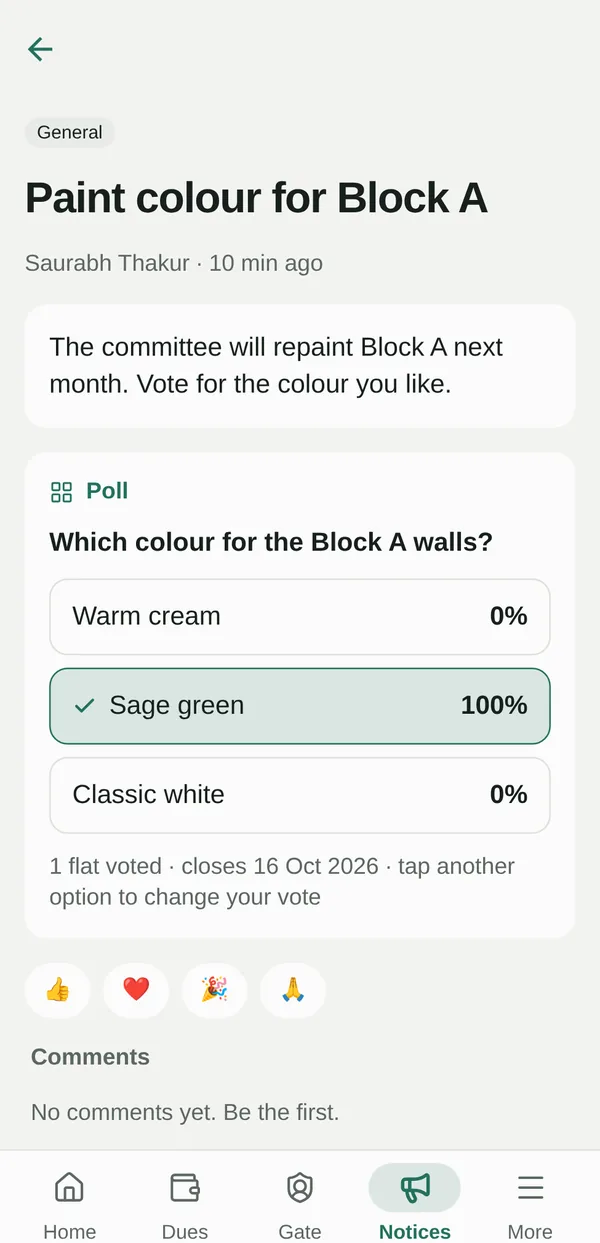
Monthly maintenance bills, what you owe, what you paid, and a receipt to share. Reminders go out on their own.
Complaints you can track
Snap the leak, raise it with photos and follow it from Open to Resolved, with comments along the way.
Notices people read
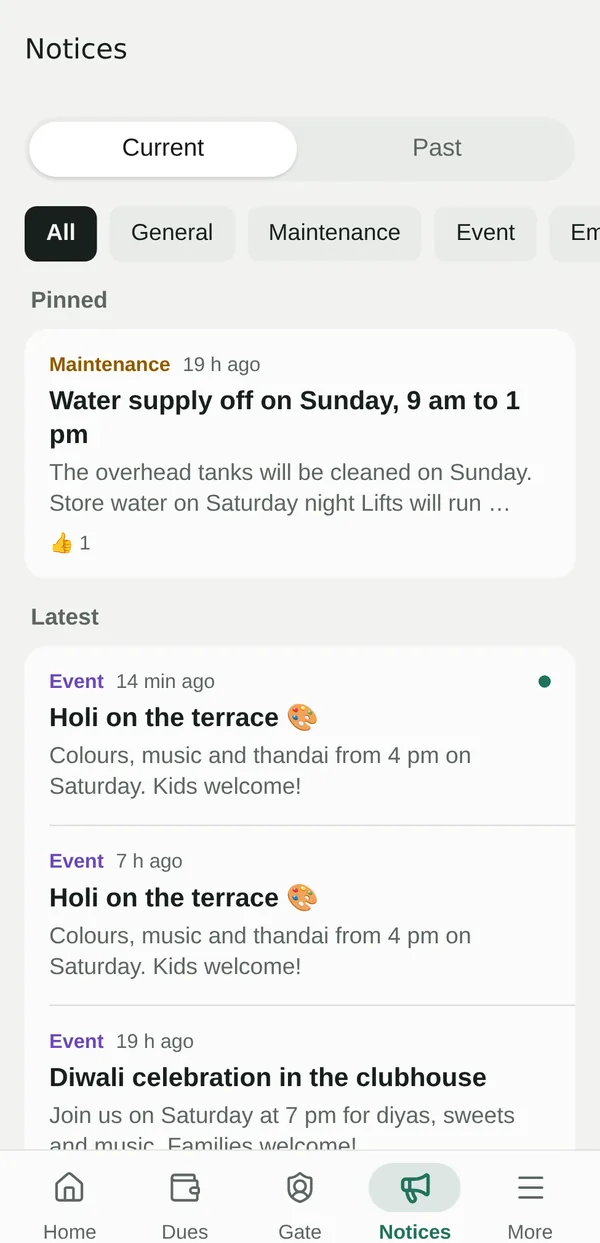
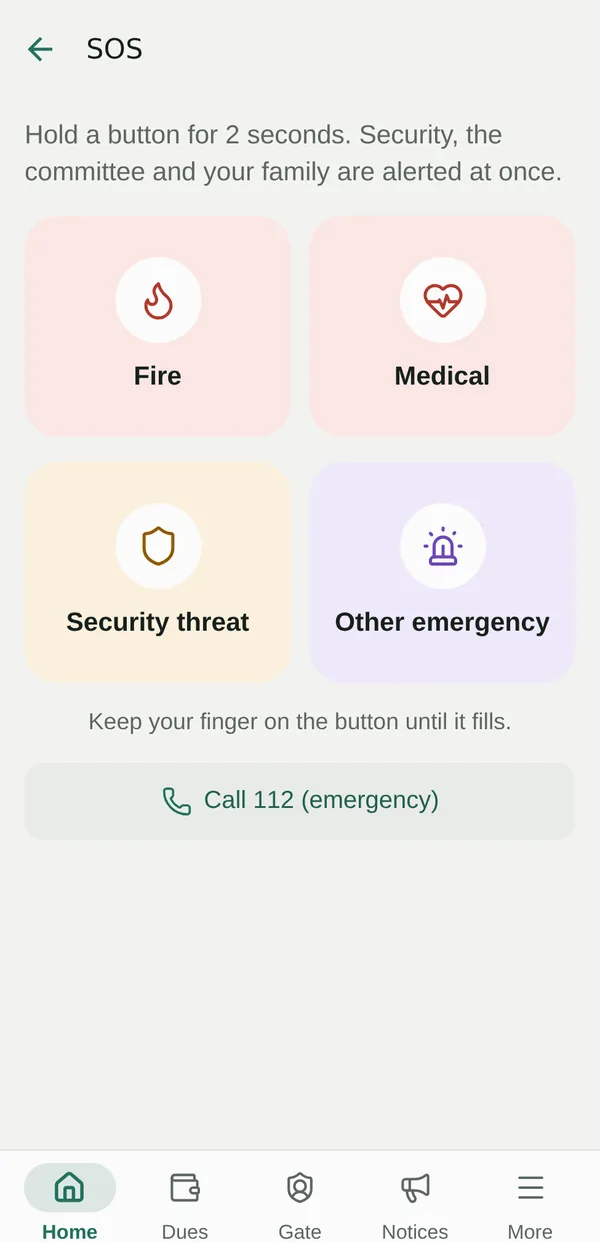
Pinned notices, reactions, comments and polls with one vote per flat. Emergency notices always get through.
Directory and important numbers
Find a neighbour, call the society plumber, or reach 112, police, fire or an ambulance in one tap.
Help for every role
Step-by-step help for residents, guards, committee and admins, in the app and as a PDF guide.
Made for everyone in the society
One app. Four very different days.
Your gate, your guests and your dues, in your pocket.
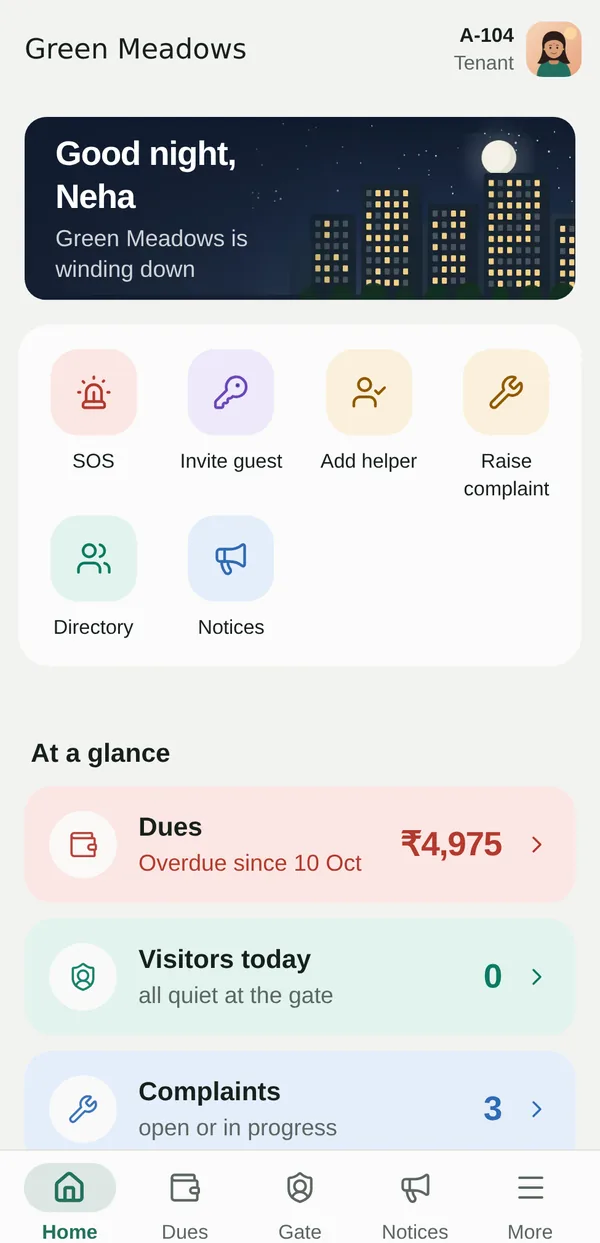
For owners, tenants and family members. Home shows what needs you now, with quick buttons for the jobs you do every week.
- Approve or reject visitors and deliveries when your phone rings, even mid-dinner
- Invite guests with a QR pass, and invite regulars again in one tap
- Add your maid, cook or driver and see their attendance for the month
- Know when a parcel is kept at the gate, and who collected it
- See your outstanding amount, every bill and every receipt
- Raise complaints with photos, react to notices and vote in polls
A gate console that works even when the internet doesn’t.
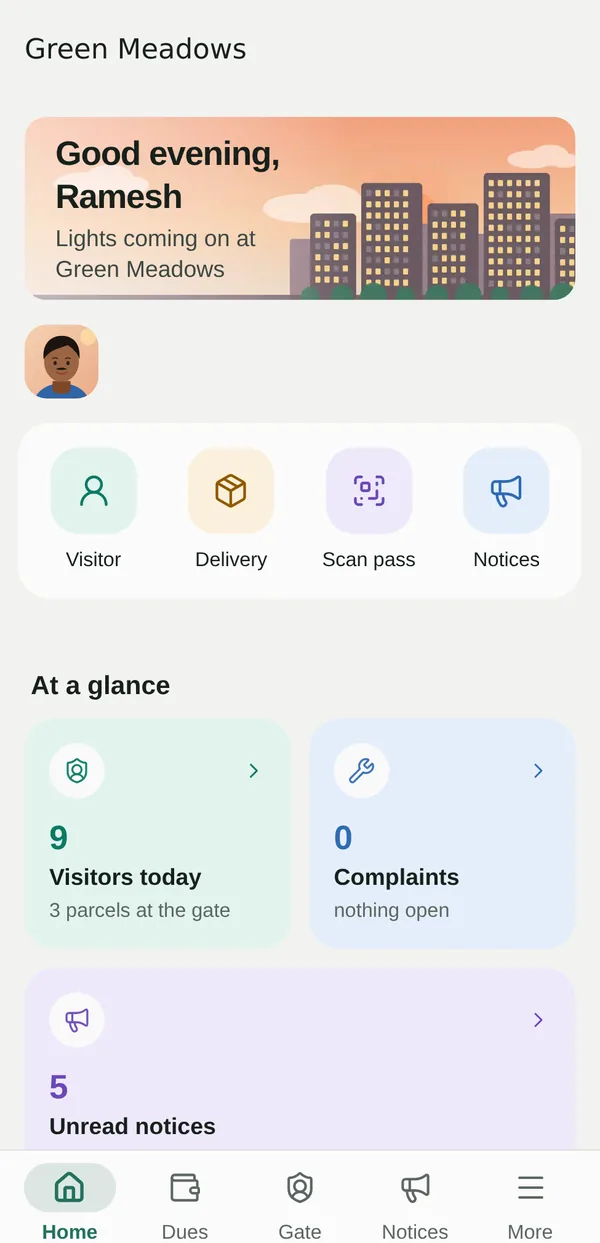
Everything the gate needs is on one screen: big, clear buttons and lists of who is waiting, who is inside and which parcels are held.
- One-tap Visitor, Delivery, Staff and Passcode entries
- Log one delivery for several flats at once
- Scan a guest pass or helper QR, or type the 6-digit code
- Decide for a flat when nobody answers in time, with a recorded reason
- Keep parcels with a photo and mark who collected them
- See SOS alerts at the top of the console and respond
Run the society without running after people.
For the secretary, the committee and the society office: set up once, then post, assign and track from the same app residents already use.
- Set up blocks and flats, including a whole block in one go
- Invite residents and guards, and choose what each role can do
- Post notices to the whole society or chosen blocks; pin, schedule an expiry and see who read them
- Ask a question with a poll: one vote per flat, voters kept private
- Assign complaints, set priority and keep residents updated
- Keep the society staff list and important numbers up to date
Every rupee recorded. Every flat knows where it stands.
Maintenance collection out of the register and into one place, with numbers the whole committee can trust.
- Set charge heads: a fixed amount per flat, or a rate per sq. ft
- Generate a month’s bills for every flat, with a preview before you confirm
- Record cash, cheque, UPI or bank transfer payments; they settle the oldest bills first
- Share receipts as a PDF, and void a bill made by mistake
- See billed, collected and outstanding, and which flats still owe
- Automatic reminders three days before the due date and the day after it’s missed
When it matters most
Hold for help. Everyone who can help knows.
Press and hold Fire, Medical, Security or Other. Every guard on duty, the committee and your family get a ringing alert. Responders tap “I’m on my way” and “Mark safe”, and your family sees the status live.
SOS helps your neighbours reach you faster. It is not a replacement for emergency services: the app always offers Call 112, and you should call it in any emergency.
The film · 62 seconds
Ding-dong, sorted.
A Pune flat at 9:14 pm. The doorbell rings mid-dinner, the intercom is confused and the society group has 999+ unread messages. Then SocietyDues takes over: gate approvals, a guest’s QR pass, who’s inside, the maid’s attendance, a bill and its receipt, a complaint, a notice. Dinner, uninterrupted.
Every phone screen in the film is the real app.
A closer look
Calm screens for busy people.
-
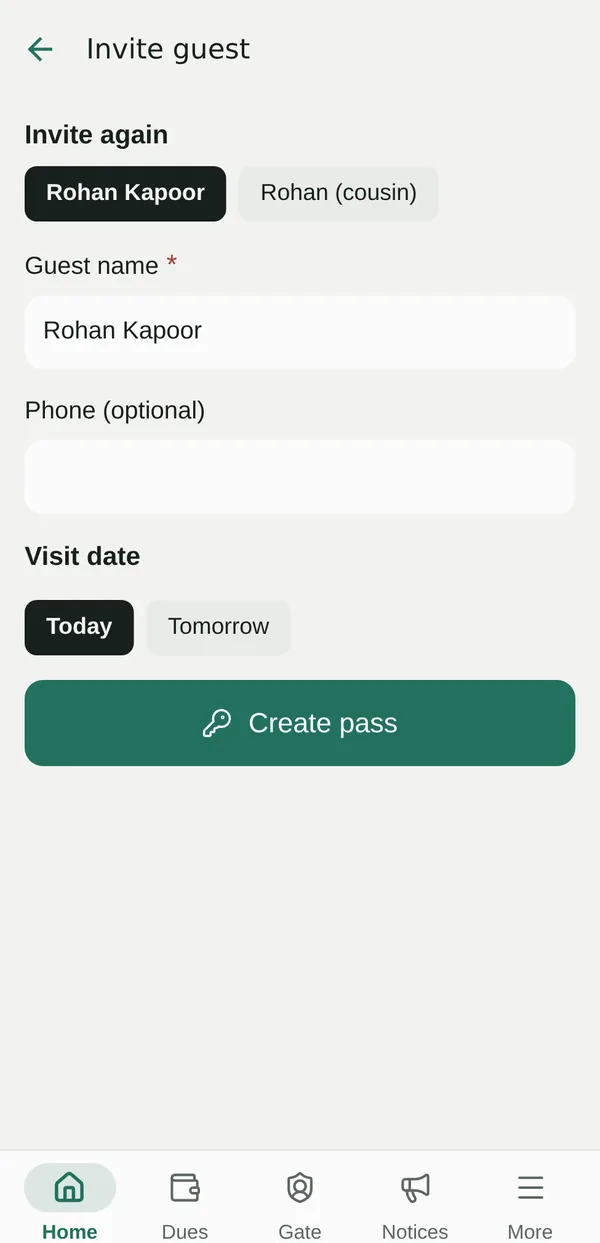
Invite again in one tap
-
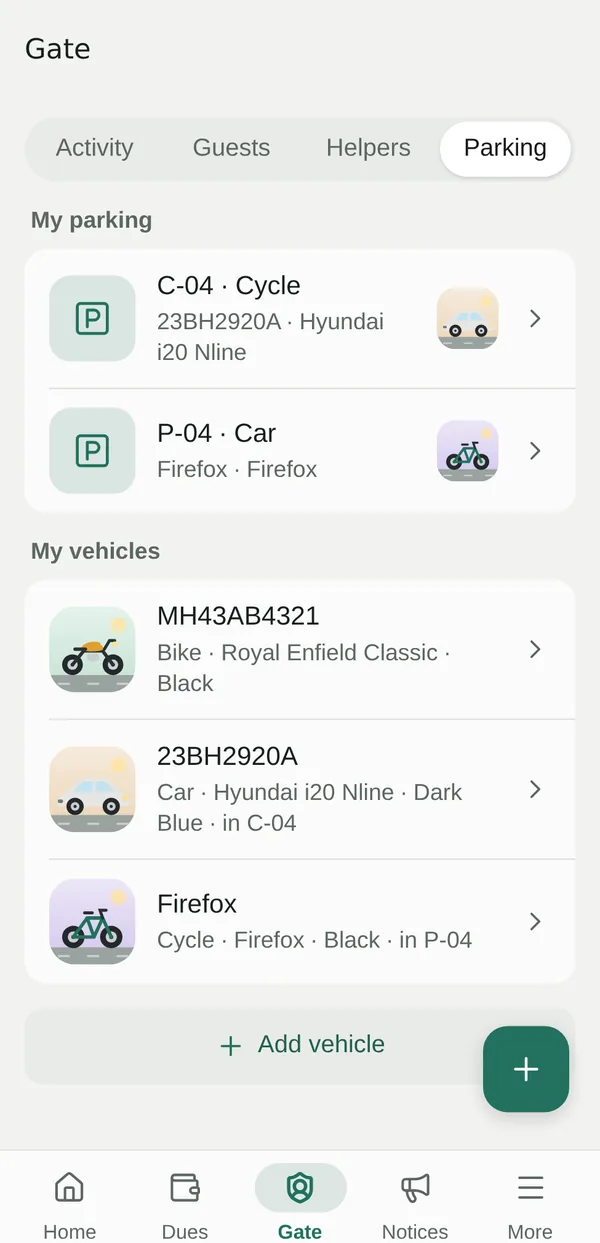
Vehicles and parking
-
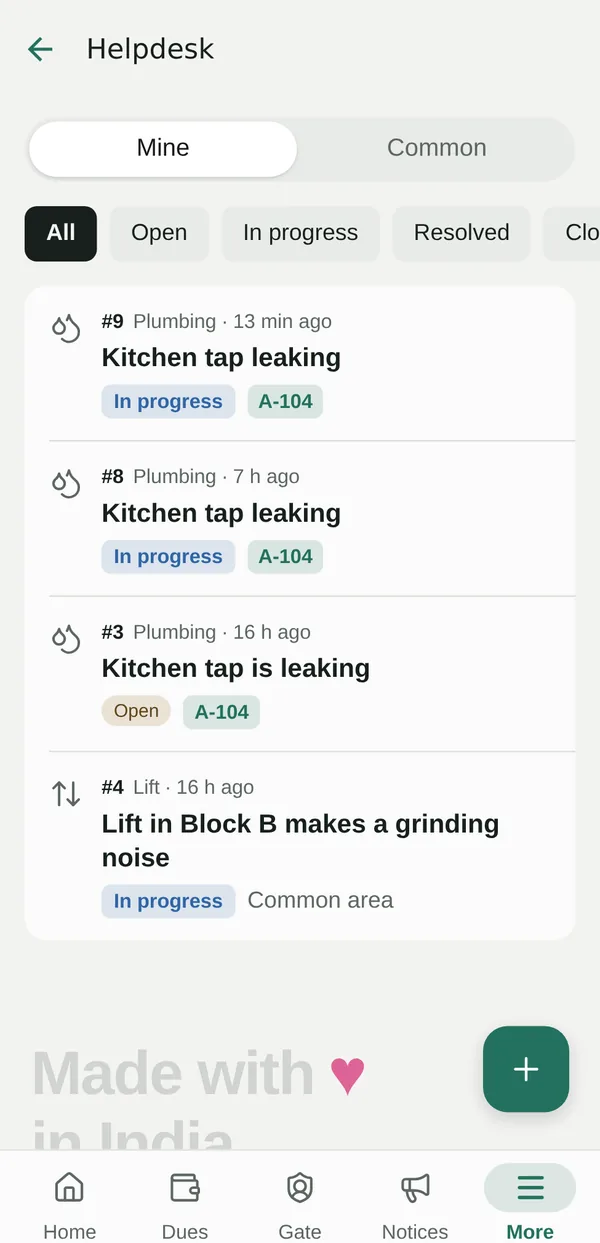
Complaints with progress
-
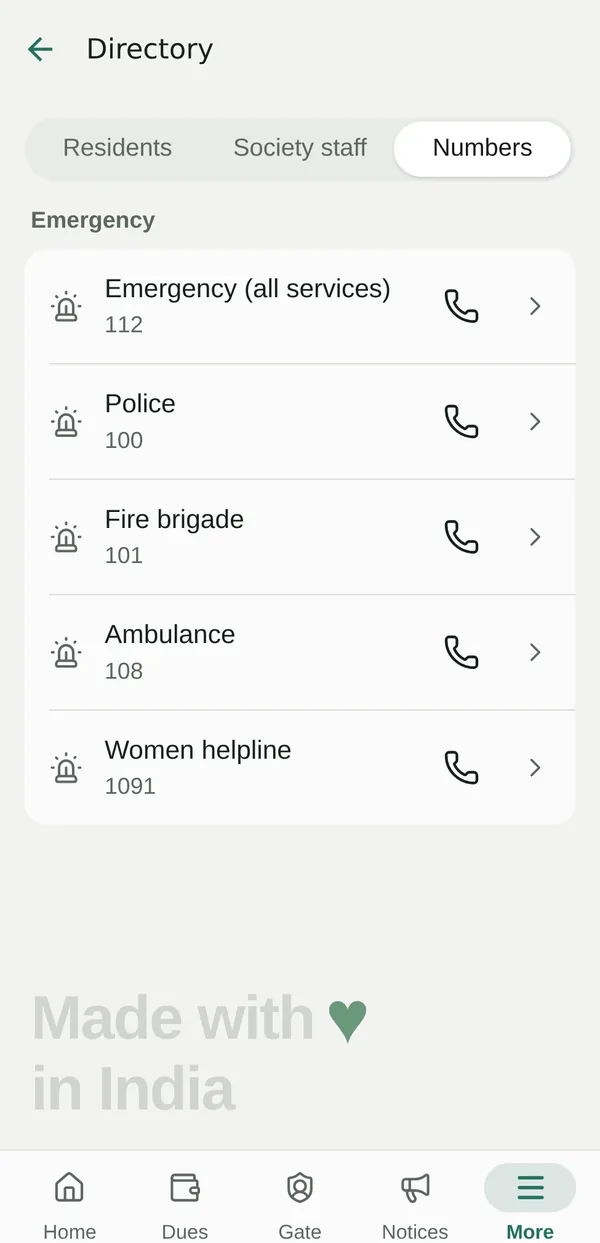
Important numbers
-
Pinned notices
Get the app
On every phone, today.
Residents sign in with their email and a 6-digit code. Step-by-step help in English, हिन्दी and मराठी is on the install page.
Android
The full app, with gate alerts that ring like a call. Download, open the file and tap Install. Play Protect may ask once, because it isn’t on the Play Store yet.
Download APKiPhone
Open societydues.getnuventra.com in Safari, tap Share, then Add to Home Screen. It opens like an app. An App Store version is coming.
Open web appComputer
Handy for the society office and the treasurer: the same app in Chrome, Edge or Safari, with nothing to install.
Install steps & QR codeWhy SocietyDues
Built for how Indian societies actually work.
Works offline
Basements, lifts and guard rooms have poor signal. SocietyDues opens with your last-synced data and sends your changes when the network is back.
English, हिन्दी, मराठी
Every screen and every notification in the language each person chooses, written the way people actually speak.
Private by design
Each society’s data is kept apart. You choose who sees your phone number. No ads, and we never sell your data.
Made in India
Built in Pune by TechNuventra for Indian societies: flats and wings, maintenance in ₹, the 90-second wait at the gate.
Getting started
Live in days, not months.
We set up your society
Our team creates your society in SocietyDues and invites your first admin by email or mobile number.
Your admin adds the flats
Blocks, wings and flats go in, a whole block at a time if you like. The Home checklist guides each step.
Invite residents and guards
The admin invites each flat’s owners, tenants and family, and gives the guards their own sign-in.
Everyone signs in with a code
No passwords. Residents install the app, enter the code we send them and land straight in their society.
Everyone gets role-based help in the app, in their language, plus a printable PDF guide for the society office.
Security & privacy
Your society’s data stays your society’s.
A housing society knows a lot about its residents. We treat that with care, and we explain exactly what we do with it in plain words.
- Sign-in with one-time codes, plus optional fingerprint, face, screen-lock or PIN quick sign-in
- Every society’s data is isolated on the server; each role sees only what it needs
- Encrypted in transit and at rest on secure cloud servers
- Residents choose who sees their phone number: everyone, committee only, or no one
- Money is recorded only online, so balances are always authoritative
- Built with India’s Digital Personal Data Protection Act, 2023 in mind; delete your account from Settings
FAQ
Questions societies ask us.
What is SocietyDues?
SocietyDues is a society-management app for Indian housing societies, built by TechNuventra in Pune. It brings gate security, guest passes, helper attendance, parcels, SOS, parking, maintenance dues and receipts, complaints, notices and the resident directory into one app for residents, guards, the committee and the society office.
Does it work without internet?
Yes, for most things. You can read everything already synced, post notices, raise and comment on complaints, make guest passes, add helpers and vehicles, and guards can log people at the gate. Changes are sent automatically when the phone is back online. Signing in, approving at the gate, scanning passes, bills and payments need internet so the answer is always authoritative.
Which languages does SocietyDues support?
English, Hindi (हिन्दी) and Marathi (मराठी). Each person picks their language, and notifications arrive in that language too. Names and notice text are shown exactly as they were typed.
Can residents pay maintenance in the app?
Not yet. Residents pay the society as they do today; the treasurer or admin records the payment, and the resident sees the updated balance and a receipt in the app. Online payments are on our roadmap.
What happens if a resident doesn’t answer the gate request?
The flat’s residents get a ringing notification with Approve, Reject and, for deliveries, Leave at gate. If nobody answers within the society’s waiting time (90 seconds by default), the guard may decide and must give a reason. The flat is told who decided and why, and it stays in the gate log.
Is SocietyDues on Android and iPhone?
Yes. Android phones install the app directly from societydues.getnuventra.com/get (a Google Play listing is coming). iPhones and computers use the same app in the browser at societydues.getnuventra.com, and an iPhone can add it to the home screen from Safari. An App Store version is coming next.
How do we get our society on SocietyDues?
Request a demo or pilot through our contact form. We create your society, invite your admin, and help set up blocks, flats and the first residents. We are onboarding pilot societies in Maharashtra now, and we’ll talk through costs for a society your size when we speak.
Who can see my information?
Your society’s committee and admins see what their role needs, security sees gate information only, and other residents see only what you choose to show in the directory. We never sell your data or show ads. The SocietyDues privacy policy explains it in full.
Bring SocietyDues to your society.
We’re onboarding pilot societies in Maharashtra. Tell us about yours, how many flats and wings, and what you want sorted first, and we’ll show you SocietyDues with your own setup.